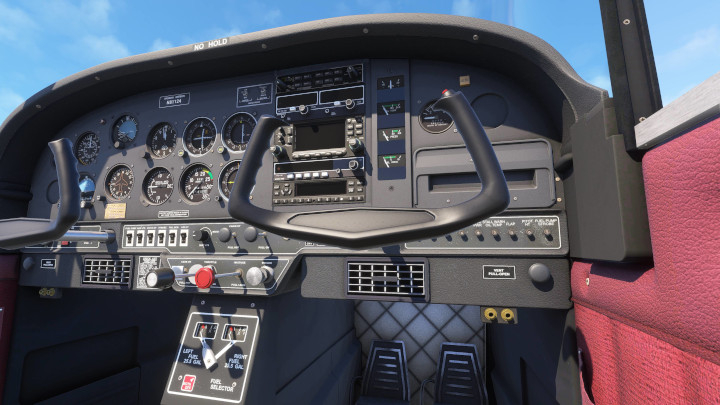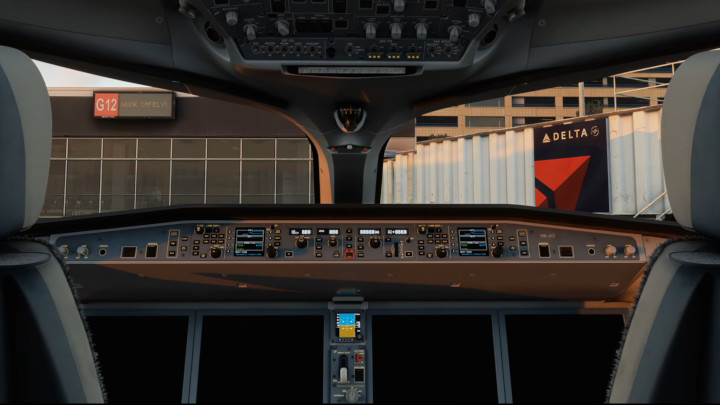
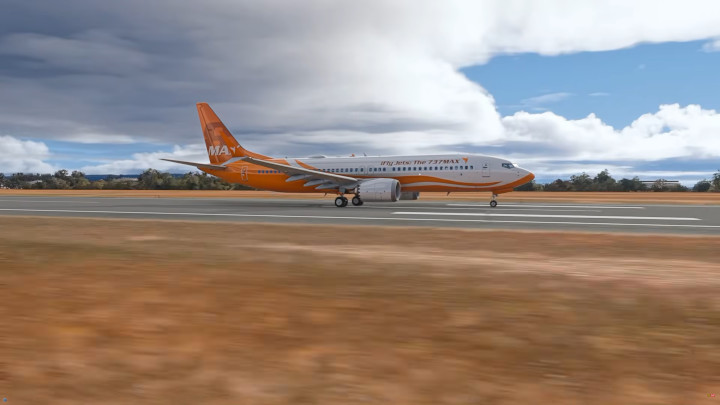
Service Pack Boeinga 737-MAX8 od iFly już dostępny

Studio iFly wydało długo wyczekiwany pakiet Service Pack 1 (SP1) dla swojego Boeinga 737MAX dla Microsoft Flight Simulatora 2020, a także powiązanej z nim wersji eksperymentalnej dla platformy MSFS 2024. Rozmiar wprowadzonych modyfikacji jest na tyle ogromny, że twórcy wprost opisują tę darmową dla dotychczasowych posiadaczy aktualizację jako niemal zupełnie nowy produkt.
Zmiany i poprawki dotknęły praktycznie każdego elementu wirtualnego statku powietrznego. Dzięki ścisłej współpracy z doradcami technicznymi mającymi dostęp do prawdziwych samolotów, deweloperzy gruntownie przebudowali i zaktualizowali wszystkie systemy pokładowe. Wśród najważniejszych nowości piloci znajdą zupełnie nowy tablet EFB, system komunikatów głosowych kabiny pasażerskiej, a także wariant MAX8-200 wraz z róznymi konfiguracjami wnętrza kabiny, odświeżonymi teksturami oraz poprawioną warstwą dźwiękową.
Mimo ogromu prac, pewne zaawansowane funkcjonalności okazały się zbyt trudne do zaimplementowania w obecnym trybie kompatybilności między obiema wersjami symulatora. Z tego powodu na integrację systemu CPDLC będziemy musieli jeszcze poczekać do momentu wydania w pełni natywnej wersji dla MSFS-a 2024. Twórcy zaznaczają również, że choć popularne narzędzie GSX współpracuje z maszyną, to na ten moment nie wszystkie automatyczne integracje, takie jak obsługa cystern czy cateringu, będą w pełni funkcjonalne, a deweloperzy z FSDream Team muszą dodatkowo zaktualizować system pasażerów siedzących w kabinie, aby poprawnie współpracował z SP1.
Wydanie Service Pack 1 niesie za sobą kluczowe zmiany dla twórców malowań oraz samych użytkowników. Ze względu na głębokie modyfikacje modeli 3D i tekstur, wszystkie dotychczasowe malowania stają się całkowicie niekompatybilne i nie będą działać poprawnie. Autorzy tekstur muszą zaktualizować swoje prace za pomocą nowego pakietu paint-kitu udostępnionego przez iFly, dbając o odpowiednie nazewnictwo oraz wyraźne oznaczenie kompatybilności z SP1. Użytkownicy przed instalacją nowej wersji maszyny powinni bezwzględnie usunąć stare malowania ze swojego folderu Community, robiąc to ręcznie, jeśli dany wariant nie wyświetla się do odinstalowania w oficjalnym menedżerze.
Dla użytkowników Microsoft Flight Simulatora 2020, jest to jednocześnie ostatnia duża aktualizacja tego samolotu. Wszelkie ewentualne przyszłe poprawki błędów będą przenoszone do tej wersji jedynie w miarę technicznych możliwości i na podstawie prac nad natywnym wydaniem dla Microsoft Flight Simulatora 2024. Sama procedura instalacji Service Pack 1 dla obu wersji symulatora wymaga od użytkowników wykonania kilku precyzyjnych kroków w iFly Managerze. Należy w nim najpierw usunąć posiadane malowania, kompletnie odinstalować samolot, zrestartować komputer, a następnie zainstalować nową wersję oznaczoną numerem 1.1.0.0, pobierając w razie potrzeby świeży instalator. Po zakończeniu tego procesu można ponownie wgrać kompatybilne z SP1 barwy.
W przypadku Microsoft Flight Simulatora 2024, deweloperzy zdecydowali się na zachowanie statusu wersji eksperymentalnej dla SP1 ze względu na ogromną złożoność zastosowanych obejść systemów. Choć iFly zapewnia pełne wsparcie techniczne przy samej instalacji, to błędy występujące podczas lotów w MSFS 2024 nie będą na tym etapie poprawiane ze względu na ich losowy charakter, wynikający z ciągłych aktualizacji bazy samego symulatora. Twórcy doszli do wniosku, że obecna architektura Microsoft Flight Simulatora 2024 nie sprzyja tymczasowym rozwiązaniom kompatybilności, dlatego studio skupia się teraz na rozwoju całkowicie natywnej wersji dedykowanej dla nowego symulatora Microsoftu, która jest już na zaawansowanym etapie produkcji. Na koniec autorzy przypominają o istotnej złotej zasadzie: po pierwszej instalacji nowej wersji samolotu należy zawsze wyjść do głównego menu symulatora i załadować maszynę ponownie, co gwarantuje prawidłowe zainicjowanie wszystkich systemów pokładowych oraz optymalną wydajność działania.
Fot. MrSaturday/YouTube
Używasz SayIntentions.AI lub dopiero się nad tym zastanawiasz?
Wesprzyj rozwój naszego portalu i skorzystaj z naszego linku partnerskiego!
English version:
iFly Studio has released the long-awaited Service Pack 1 (SP1) for its Boeing 737MAX for Microsoft Flight Simulator 2020, alongside a corresponding experimental version for the MSFS 2024 platform. The scale of the introduced modifications is so massive that the creators explicitly describe this update—which is free for existing owners—as an almost entirely new product.
Overhauled Systems and New Features
The changes and fixes have touched virtually every element of the virtual aircraft. Thanks to close cooperation with technical advisors who have access to real-world aircraft, the developers have thoroughly rebuilt and updated all onboard systems. Among the most important new features, pilots will find a brand-new EFB tablet, a passenger cabin voice announcement system, as well as the MAX8-200 variant complete with various cabin interior configurations, refreshed textures, and an improved soundscape.
Despite the immense amount of work, certain advanced functionalities proved too difficult to implement within the current compatibility mode between both simulator versions. For this reason, we will have to wait for the integration of the CPDLC system until a fully native version for MSFS 2024 is released. The creators also note that while the popular GSX tool works with the aircraft, not all automated integrations, such as fuel truck or catering services, will be fully functional at this time. Furthermore, the developers from FSDreamTeam must update the seated passenger system to ensure it works correctly with SP1.
Livery Compatibility and Installation Guide
The release of Service Pack 1 brings crucial changes for livery creators and users alike. Due to deep modifications to the 3D models and textures, all existing liveries become completely incompatible and will not function properly. Texture authors must update their work using the new paint-kit package provided by iFly, ensuring proper naming conventions and clearly marking compatibility with SP1. Before installing the new version of the aircraft, users must absolutely remove old liveries from their Community folder, doing so manually if a specific variant does not appear for uninstallation in the official manager.
For Microsoft Flight Simulator 2020 users, this also marks the final major update for this aircraft. Any potential future bug fixes will only be ported to this version as far as technically feasible and based on the work done for the native Microsoft Flight Simulator 2024 release. The installation procedure for Service Pack 1 across both simulator versions requires users to follow a few precise steps in the iFly Manager:
- Remove any installed liveries.
- Completely uninstall the aircraft.
- Restart the computer.
- Install the new version (numbered 1.1.0.0), downloading a fresh installer if necessary.
- Reinstall SP1-compatible liveries once the process is complete.
MSFS 2024 Experimental Status and Native Future
In the case of Microsoft Flight Simulator 2024, the developers have decided to retain the experimental version status for SP1 due to the immense complexity of the system workarounds applied. Although iFly provides full technical support for the installation itself, bugs occurring during flights in MSFS 2024 will not be fixed at this stage due to their random nature, which stems from continuous updates to the core simulator database. The creators concluded that the current architecture of Microsoft Flight Simulator 2024 does not favor temporary compatibility solutions. Therefore, the studio is now focusing on developing a completely native version dedicated to Microsoft’s new simulator, which is already in an advanced stage of production.
Important Golden Rule: After the initial installation of the new aircraft version, always exit to the simulator’s main menu and reload the aircraft. This guarantees the correct initialization of all onboard systems and ensures optimal performance.
The text was automatically translated using Gemini.
Zostań naszym Patronem: